Game Boy
Game Boy
AndroidYes
WindowsYes
macOSYes
LinuxYes
Fast handheld play with artwork, saves, cheats, screenshots, touch controls, and controller support.
Supported Systems
Shadowboy brings 18 systems into one home across Android, Windows, macOS, and Linux: Game Boy, GBA, NES, SNES, Sega, PSP, Nintendo 64, Wii, PlayStation, PS2, Sega Saturn, Nintendo 3DS, Dreamcast, and more.
Where It Plays
This page should feel like the collection is expanding, because that is what Shadowboy is doing. The support table still exists, but the story is the range: pocket systems, living room consoles, Sega, PlayStation, and heavier desktop libraries in one place.
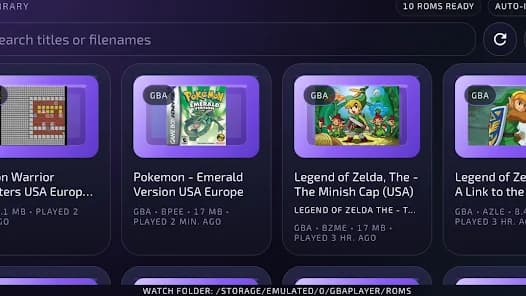
Mobile-first systems with touch controls, Bluetooth controllers, artwork, saves, cheats, and fast launches from Google Play.
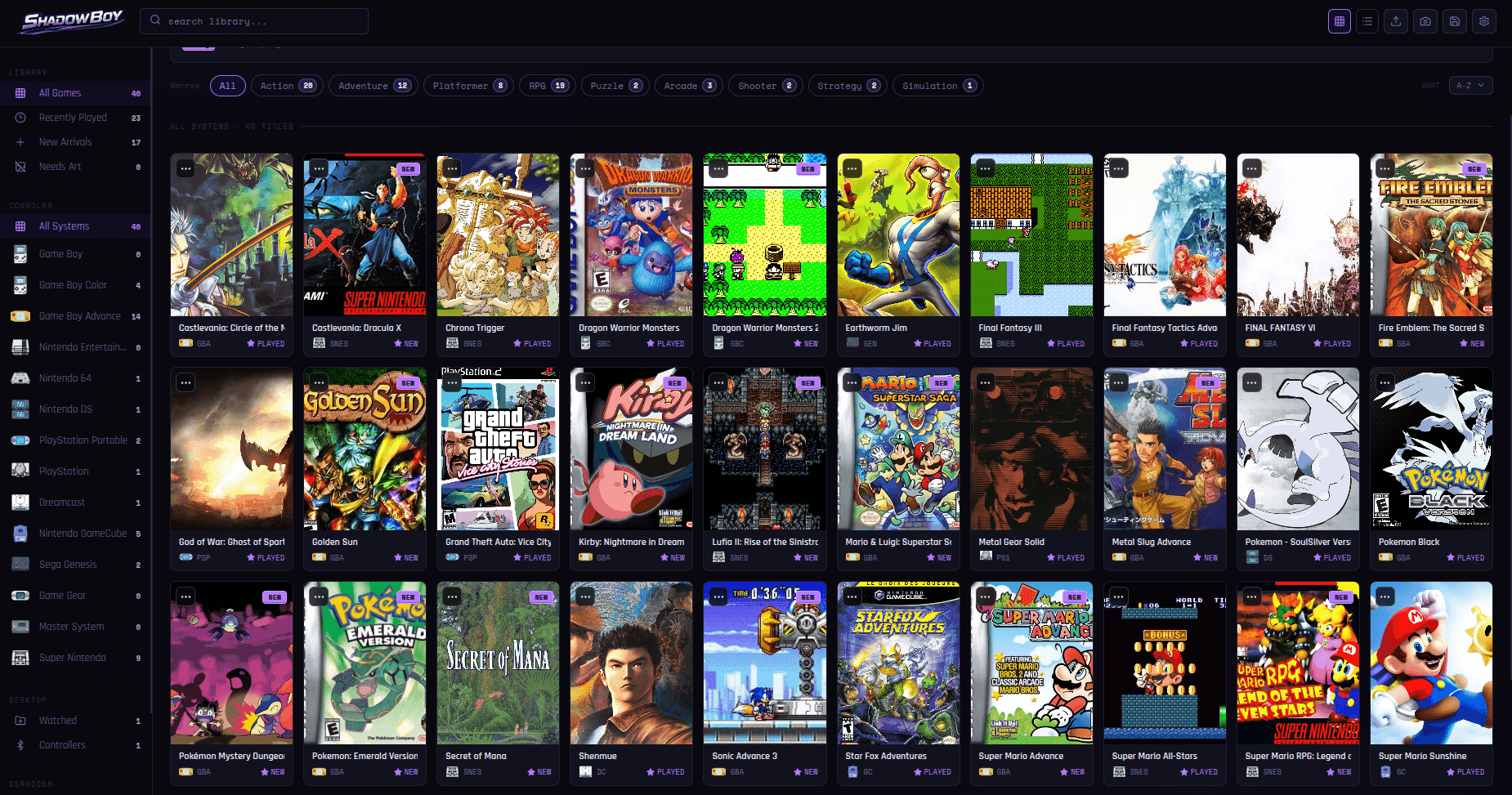
Windows, macOS, and Linux expand Shadowboy into PS1, PS2, GameCube, Wii, Saturn, Dreamcast, DS, 3DS, creator tools, shaders, and full ShadowBoy Multiplayer with lobby chat and voice.
System Atlas
fast starts
The systems that make Shadowboy feel instant on a phone or handheld setup.
Android and Desktop, with 3DS strongest on Android, Windows, and Linux.
couch-era games
NES, SNES, Nintendo 64, GameCube, Wii, and the library structure to keep them browsable.
NES, SNES, and N64 on Android and Desktop. GameCube and Wii on Desktop.
one sega row
Genesis, Mega Drive, Master System, Game Gear, Saturn, and Dreamcast together instead of scattered.
Genesis, Master System, and Game Gear on Android and Desktop. Saturn and Dreamcast on Desktop.
bigger libraries
PSP goes everywhere. Desktop adds PS1 and PS2 for heavier PlayStation collections.
PSP on Android and Desktop. PS1 and PS2 on Desktop.
Beyond Compatibility
Drop in games, let Shadowboy sort the systems, then browse your collection as artwork instead of folders.
Supported systems can plug into ShadowBoy Multiplayer, with invite-code lobbies, chat, and voice on Desktop.
Clips, instant replays, screenshots, and save-state archives stay connected to the game they came from.
Cheats, shaders, graphics options, and controller profiles are there when you need them and quiet when you do not.
Feature Layer
Auto-scans your folders, detects systems, pulls artwork, and keeps the collection searchable.
Keep quick saves close while preserving normal in-game saves for long-term progress.
Find and enable per-game cheats without digging through separate setup files.
Capture moments and keep screenshots organized around the game they came from.
Desktop can save the moment after it happens and record longer sessions on purpose.
Apply favorite shader looks on the fly without managing shader files yourself.
Invite-code online play with lobby chat and voice on desktop.
Use touch layouts, Bluetooth controllers, keyboard profiles, turbo, and shortcuts where they fit.
Reference
The visual page tells the story. This is the practical answer for people checking a specific platform.
| System | Android | Windows | macOS | Linux | Why it matters |
|---|---|---|---|---|---|
Game Boy Game Boy | Yes | Yes | Yes | Yes | Handheld classics Fast handheld play with artwork, saves, cheats, screenshots, touch controls, and controller support. |
Game Boy Color Game Boy | Yes | Yes | Yes | Yes | Color handheld games Color handheld games fit into the same searchable library on Android and desktop. |
Game Boy Advance Game Boy | Yes | Yes | Yes | Yes | GBA collections A strong fit for save states, cheats, artwork, touch controls, and Bluetooth gamepads. |
Nintendo Entertainment System Nintendo classics | Yes | Yes | Yes | Yes | 8-bit Nintendo Classic Nintendo games with clean imports, system sorting, saves, screenshots, and controls. |
Super Nintendo Nintendo classics | Yes | Yes | Yes | Yes | 16-bit Nintendo SNES games sit beside the rest of your collection with artwork and save tools ready. |
Sega Genesis / Mega Drive Sega | Yes | Yes | Yes | Yes | Sega 16-bit games Genesis and Mega Drive games stay grouped with Sega artwork, saves, and cheats. |
Sega Master System Sega | Yes | Yes | Yes | Yes | Sega 8-bit games Master System games work across Android and desktop with the same library flow. |
Game Gear Sega | Yes | Yes | Yes | Yes | Portable Sega games Portable Sega games with mobile-friendly controls, artwork, and save tools. |
PlayStation Portable PlayStation | Yes | Yes | Yes | Yes | Portable 3D games PSP works across Android and desktop with video controls, saves, artwork, and controllers. |
Nintendo 64 Nintendo 3D | Yes | Yes | Yes | Yes | Early 3D consoles Nintendo 64 support includes tuned controls, C-button handling, and graphics options. |
PlayStation PlayStation | No | Yes | Yes | Yes | Desktop PlayStation libraries Desktop PlayStation libraries with artwork, controller mapping, screenshots, and saves. |
PlayStation 2 PlayStation | No | Yes | Compatibility | Yes | Heavier desktop games Desktop handles PS2 library setup, artwork, controls, and compatibility checks. macOS uses the Play! core. |
GameCube Nintendo 3D | No | Yes | Yes | Yes | Desktop 3D consoles GameCube joins the desktop library with controller defaults and capture tools. |
Wii Nintendo 3D | No | Yes | Yes | Yes | Desktop Wii libraries Wii games get library artwork, system sorting, controller profiles, and desktop launch flow. |
Sega Saturn Sega | No | Yes | Yes | Yes | Desktop Sega collections Saturn games can live beside Genesis, Master System, Game Gear, and Dreamcast. |
Dreamcast Sega | No | Yes | Yes | Yes | Sega 3D desktop play Dreamcast support brings Sega 3D games into the desktop library and creator tools. |
Nintendo DS Nintendo handhelds | Yes | Yes | Yes | Yes | Dual-screen handhelds DS support includes dual-screen layouts, touch input, saves, artwork, system badges, and controller setup. |
Nintendo 3DS Nintendo handhelds | Yes | Yes | Compatibility | Yes | Modern handheld libraries 3DS support includes Android, Windows, and Linux playback, with a Mac compatibility path for in-game saves. |
Game Boy
Fast handheld play with artwork, saves, cheats, screenshots, touch controls, and controller support.
Game Boy
Color handheld games fit into the same searchable library on Android and desktop.
Game Boy
A strong fit for save states, cheats, artwork, touch controls, and Bluetooth gamepads.
Nintendo classics
Classic Nintendo games with clean imports, system sorting, saves, screenshots, and controls.
Nintendo classics
SNES games sit beside the rest of your collection with artwork and save tools ready.
Sega
Genesis and Mega Drive games stay grouped with Sega artwork, saves, and cheats.
Sega
Master System games work across Android and desktop with the same library flow.
Sega
Portable Sega games with mobile-friendly controls, artwork, and save tools.
PlayStation
PSP works across Android and desktop with video controls, saves, artwork, and controllers.
Nintendo 3D
Nintendo 64 support includes tuned controls, C-button handling, and graphics options.
PlayStation
Desktop PlayStation libraries with artwork, controller mapping, screenshots, and saves.
PlayStation
Desktop handles PS2 library setup, artwork, controls, and compatibility checks. macOS uses the Play! core.
Nintendo 3D
GameCube joins the desktop library with controller defaults and capture tools.
Nintendo 3D
Wii games get library artwork, system sorting, controller profiles, and desktop launch flow.
Sega
Saturn games can live beside Genesis, Master System, Game Gear, and Dreamcast.
Sega
Dreamcast support brings Sega 3D games into the desktop library and creator tools.
Nintendo handhelds
DS support includes dual-screen layouts, touch input, saves, artwork, system badges, and controller setup.
Nintendo handhelds
3DS support includes Android, Windows, and Linux playback, with a Mac compatibility path for in-game saves.
Core References
Shadowboy uses respected emulator projects where appropriate. These projects are maintained by their own communities and are not affiliated with or endorsing Shadowboy.
FAQ
Shadowboy supports 18 systems across Android, Windows, macOS, and Linux, including Game Boy, GBA, NES, SNES, Genesis, PSP, Nintendo 64, PS1, PS2, GameCube, Wii, Sega Saturn, Dreamcast, Nintendo DS, and Nintendo 3DS.
Android supports PSP, Nintendo 64, Nintendo DS, Nintendo 3DS, Sega Genesis / Mega Drive, Sega Master System, Game Gear, NES, SNES, Game Boy, Game Boy Color, and Game Boy Advance.
Desktop adds PlayStation, PlayStation 2, GameCube, Wii, Sega Saturn, and Dreamcast support on Windows, macOS, and Linux where supported.
No. Shadowboy does not include games, ROMs, BIOS files, firmware, disc images, or copyrighted content. You are responsible for using files you legally own or are authorized to use.
No. Library, artwork, saves, cheats, screenshots, and controller tools are broad features, but heavier systems can have platform-specific limits. For example, PS2 on macOS uses the Play! core, and Nintendo 3DS on Mac currently uses normal in-game saves while quick saves are unavailable.
Multiplayer support depends on platform and system. Desktop has the full ShadowBoy Multiplayer lobby with invite codes, chat, and voice communication, while Android multiplayer support is more limited.